


2025-26 recipients of the Education Scholarship Trust Fund recently received an email from the South Carolina Department of Education asking them to fill out an Enrollment Verification Form confirming where their ESTF recipient children are attending school this year while using their scholarships. It is a real email request and not spam! This helps the Department of Education keep good records of who is using their scholarship where, and it makes sure that families using the program are not violating the rules and keeping their child enrolled in their zoned public school while using ESTF.
As part of that enrollment verification form, parents are asked to provide their FACTS Application ID number. We’ve received a few questions about where parents can find this number, so we thought we’d give a quick walk through of how parents can locate it. Thank you to one of our ESTF parents for providing us with these screenshots!
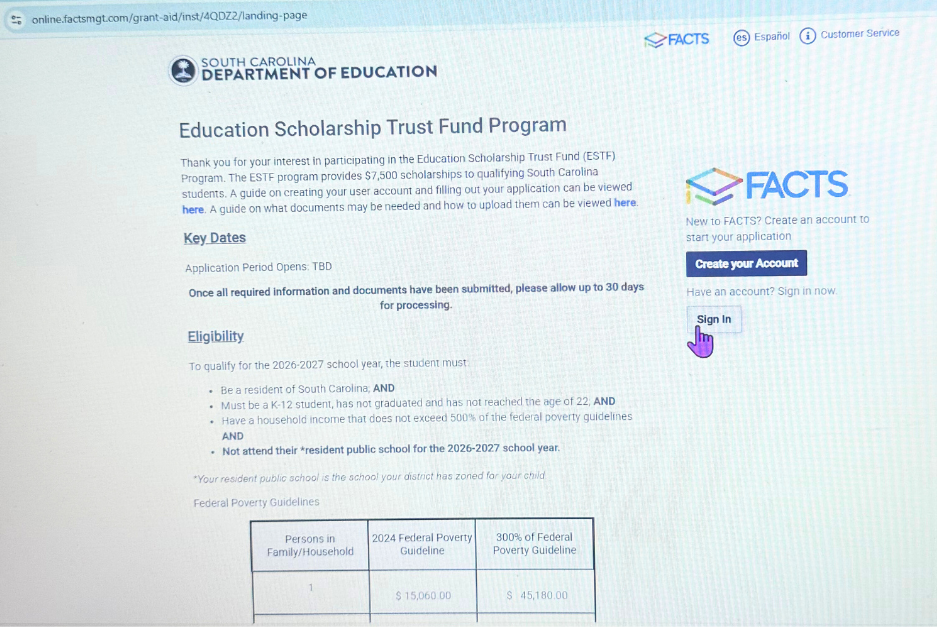
1. Log Into Your FACTS Account
FACTS is the service that the Education Scholarship Trust program uses for its applications. Once you are in the program, you generally use ClassWallet for submitting your invoices and utilizing your scholarship dollars. But for this form, SCDE asks parents for the FACTS ID number, which is linked to their initial application for the program that they did earlier this year.
To access that account, parents can log in on this page using the information they used to set up their FACTS account when applying for the ESTF program. If you are unable to remember your login information, you are able to reset your password.
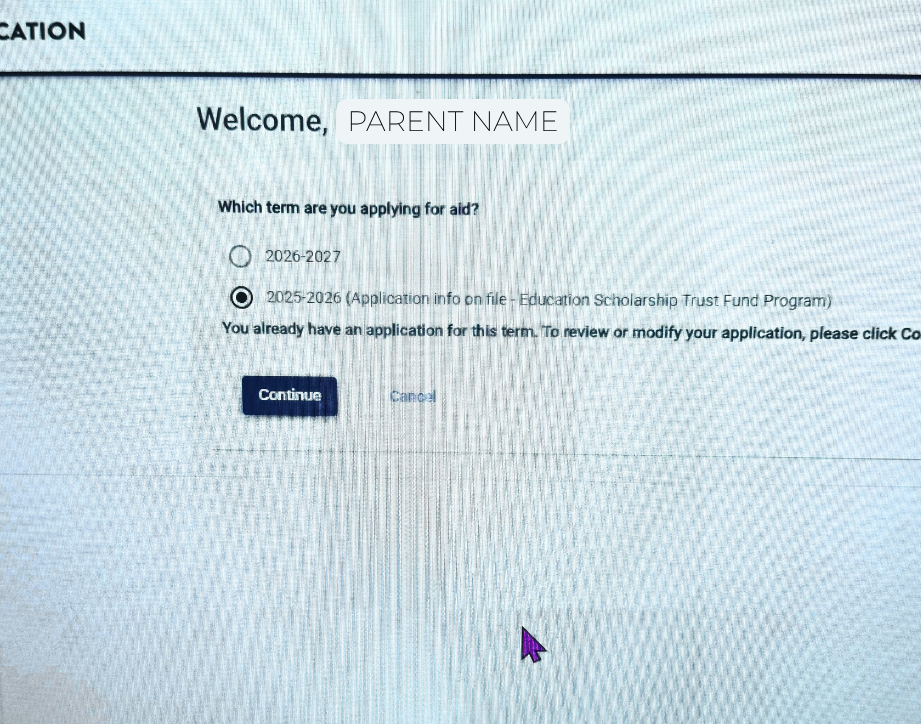
2. Click “2025-26 School Year.”
Once you log in, you’ll be asked to select either the 2025-26 school year or the 2026-27 school year. You are looking for the number for your application for the 2025-26 school year, so select that one.
When you renew your ESTF participation for the 2026-27 school year once it opens on November 1, you’ll need to come back to this page and select 2026-27 – so accessing this account now is a good way to get prepared!
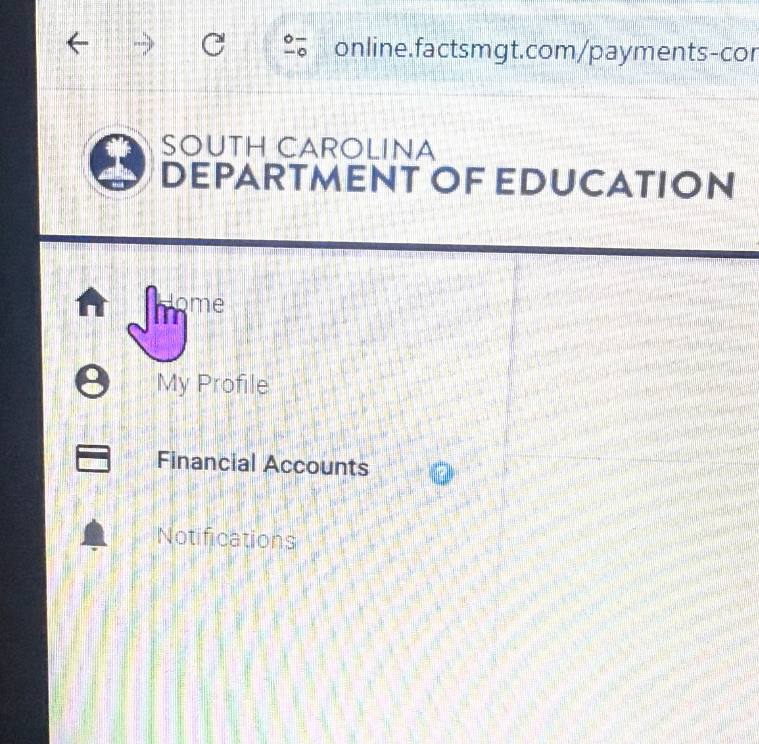
3. Use the side bar to navigate “home.”
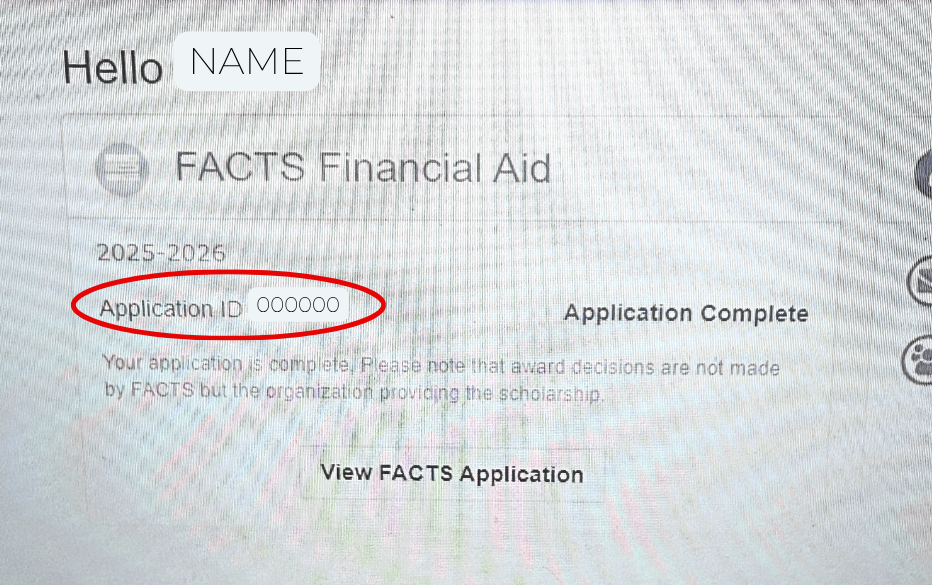
Once you click the school year and view your application, there will be several options for you to click through. You’ll find your application ID number on the “home” page.
4. Write down your FACTS ID number to use for your Enrollment Verification Form.
We hope this helps!
Still running into issues? Try searching your email inbox to see if you can find the confirmation emails from FACTS that were sent to you when you submitted your ESTF application earlier this year. Those emails should have your application ID number in them also.
If you need more help, feel free to email us at info@scschoolchoice.com, and our team would be happy to help you figure out what’s going on. You can also contact FACTS customer service directly.


 English
  Español de México